
Course Ops Launch System for CPR, first-aid, and safety training providers
Course registration workflow automation
Connect registration, confirmations, status tracking, and QuickBooks invoicing without replacing the tools your team already uses.
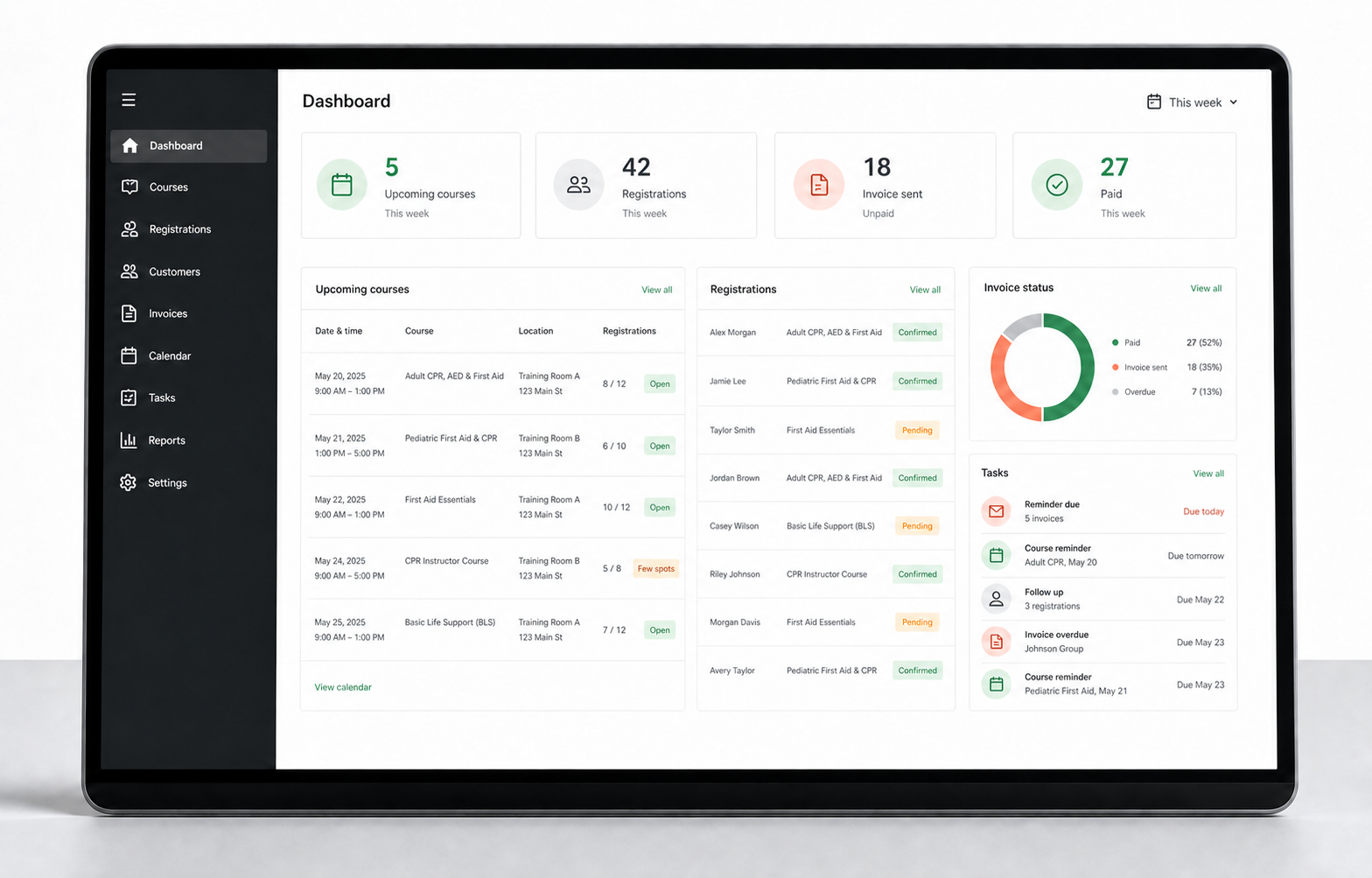
Illustrative workflow view. Your implementation is configured around your approved process and existing systems.
The operational gap
Registration should not start a chain of copying, checking, and chasing.
When course options live in one place, registrations arrive somewhere else, and invoices depend on manual entry, every enrollment creates avoidable admin. We connect those handoffs while keeping staff in control of exceptions and approval decisions.
Assess your 12 workflow handoffsRead the 166-provider research noteAudit a Google Forms registration workflowSee a fictional diagnostic deliverableTwo ways to start
Map the problem first, or fix a workflow that is already clear.
Both options begin with a fit review. Submitting the form does not create an order, proposal, invoice, or payment.
Need to understand the problem
Registration Workflow Diagnostic
CAD $495 plus applicable tax
We map one registration-to-invoice workflow and deliver the review within three business days after the mapping session and required inputs.
- One map of the current registration-to-invoice steps
- One common problem case and three recommended improvements
- One workload baseline using only figures supplied by the buyer
- One 30-minute readout and one written correction round
The report is useful on its own. If you separately accept a CAD $3,000 implementation that starts within 30 days of delivery, the CAD $495 is credited toward that total.
Already know what needs to change
One Workflow Fix
CAD $3,000 plus applicable tax
We connect one approved registration-to-invoice workflow around the tools your team already uses, with clear staff decisions, tests, alerts, and handoff.
A proposal is prepared only after the workflow, scope, authority, timing, technical fit, and acceptance tests are confirmed. Nothing starts before written acceptance and the agreed deposit.
Discuss the implementationFixed-scope implementation
One working registration-to-invoice flow
The first engagement focuses on the high-friction path that can be tested, documented, and put into daily use in approximately two to three weeks after required access and decisions are available.
A written map of your registration-to-invoice workflow
One primary registration intake flow
Confirmation and internal notification emails
A central tracker for registration and invoice status
QuickBooks Online customer and invoice handling
One configurable unpaid-invoice reminder sequence
Error alerts, acceptance testing, and handoff documentation
Administrator training and 14 days of launch support
Attendance decisions, skills assessment, certification issuance, and bookkeeping remain under your team's control. This is not an LMS, accounting service, or compliance certification.
Demonstrated workflow
Built from a real first-aid operations project
Aluui kept one training company's Google-based process in place while connecting registration routing, status tracking, customer matching, and QuickBooks invoicing.
The client reported that routine communication fell from more than five emails per registration to approximately two. Results depend on each organization's starting process and volume.
This result was client-reported and was not independently audited. The case study separates what was implemented from what the client reported.
Good fit
You run recurring public classes or corporate group training.
Your team copies registration details between forms, sheets, email, or accounting tools.
Invoices or routine follow-ups wait for someone to process them manually.
You want to improve the current stack without replacing your LMS or accounting system.
Fixed price
CAD $3,000
Fixed scope. Applicable tax, third-party costs, and payment milestones are stated in the written proposal before work begins.
1. Map
Course Ops Audit
We trace one real registration from intake through confirmation, tracking, invoicing, and follow-up.
2. Agree
Blueprint and acceptance tests
You receive the exact scope, responsibilities, timeline, and test cases before the build starts.
3. Launch
Phased implementation
We test with a controlled course or workflow, then train your team and move it into daily use.
Acceptance tests are agreed before implementation. If the delivered workflow fails those tests because of our implementation, we correct it at no additional cost. If technical validation shows the approved scope cannot be delivered responsibly, unearned build payments are returned.
Questions
Questions training providers ask before starting
What is the Registration Workflow Diagnostic?
A CAD $495 (plus tax) review of one registration-to-invoice workflow. We map the steps with you, pick the common problem case, and deliver a written map, three recommended improvements and a workload baseline from your own figures within three business days of the mapping session. It is useful on its own; if you accept a CAD $3,000 One Workflow Fix that starts within 30 days, the $495 is credited.
Do we have to replace our registration, LMS or accounting tools?
No. The work connects the tools your team already uses, such as forms, spreadsheets, email, your LMS and QuickBooks Online. Nothing is replaced unless you ask for it.
What does the One Workflow Fix include?
One approved registration-to-invoice workflow at a fixed CAD $3,000 plus tax: a written map, one registration intake flow, confirmation and internal emails, a central status tracker, QuickBooks Online customer and invoice handling, one unpaid-invoice reminder sequence, error alerts, acceptance tests, handoff documentation, administrator training and 14 days of launch support.
How long does it take?
The diagnostic is delivered within three business days after the mapping session and the inputs we ask for. An implementation runs in three phases: audit, blueprint with acceptance tests, then a controlled launch on one course before your team moves it into daily use, approximately two to three weeks after the required access and decisions are available. Dates are set in the proposal after the fit review.
Who is this for?
Training providers that run recurring public classes or corporate group training, copy registration details between forms, sheets, email or accounting tools, and have invoices or follow-ups waiting on someone to process them by hand.
Does submitting the form commit us to anything?
No. Both options start with a fit review. Submitting the form does not create an order, proposal, invoice or payment, and nothing starts before written acceptance and the agreed deposit.
Where does Aluui work from?
St-Pierre-Jolys, Manitoba. Mapping sessions and readouts are remote, so clients can be anywhere in Canada or the United States.
Workflow fit check
Start with the handoff that consumes staff attention
Share enough context for a useful fit assessment. We will review the workflow before recommending a call, proposal, or no action.
Prefer a live review?
Choose a 20-minute time
We will examine one registration-to-invoice path, its exceptions, and whether the fixed scope is practical. No invented ROI forecast and no obligation to proceed.
Open the calendarPrefer email? course-ops@aluui.com